Web Live · iOS in Review · 2026

Tarebook

A pocket accountant and ledger for your studio.

Mobile-first pricing for working potters. Built by a working ceramicist for working ceramicists. Web app live; iOS submission in App Store review.

Role

Design · Product · Engineering

Stack

React · TypeScript · Tailwind · Dexie · Supabase · Capacitor

Platforms

Web PWA (live) · iOS (in review)

Timeline

~3 weeks

Tarebook Pricing Card screen — large £40 retail figure with itemised breakdown below

Build a tool that gives potters honest visibility into what their work actually costs to make — and what to charge for it.

A cost calculator for potters who mix their own glazes. Mobile-first PWA, works offline, syncs across devices when signed in.

Not a recipe community. Not a chemistry tool. Not studio management software. The product is knowing what your glaze actually costs you, and the v1 says no to everything else.

Opinionated about scope. One job, done well.

There's a financial blind spot at the heart of a creative practice that's growing globally.

The market. The UK ceramics community on Instagram is roughly 50–100k active accounts. Globally the pottery and ceramics market is projected to grow at a 5.4–7.1% CAGR through 2033 — a quiet but durable resurgence, driven by hobbyist sellers turning into one-person businesses on Etsy, Faire, and Instagram.

The pain. Potters underprice their work because raw material costs are tedious to calculate manually. Existing tools focus on recipe sharing (Glazy), chemistry (Insight, Currie), or community — none of them on finance. The market gap isn't an idea I had to invent. It's missing.

The "why now." Studios are increasingly run as one-person businesses. The same potters who learned to throw and fire from masters never had to learn pricing. Etsy and Instagram force the decision anyway. Most undershoot by 40–60% because they only count clay and glaze — not kiln cost, not their own labour, not overhead, not the pieces that crack in the kiln.

As a working ceramicist, I knew the problem first-hand. The actual blocker isn't the maths — it's that nobody wants to do the maths with wet hands at 9pm after firing a kiln. — Project notebook, week one

Six decisions that shaped the product. Each one is a "no" to a more obvious option.

01

Mobile-first, one-handed

Every screen designed at 390px first, then allowed to breathe outward. Tap targets minimum 44×44px (Apple HIG, also good for wet hands). Numeric inputs use inputmode="decimal" so the keypad appears instead of the full keyboard. Auto-save on blur, never on submit — nothing is lost when the user switches apps or gets a call mid-input.

02

Editorial, not dashboard

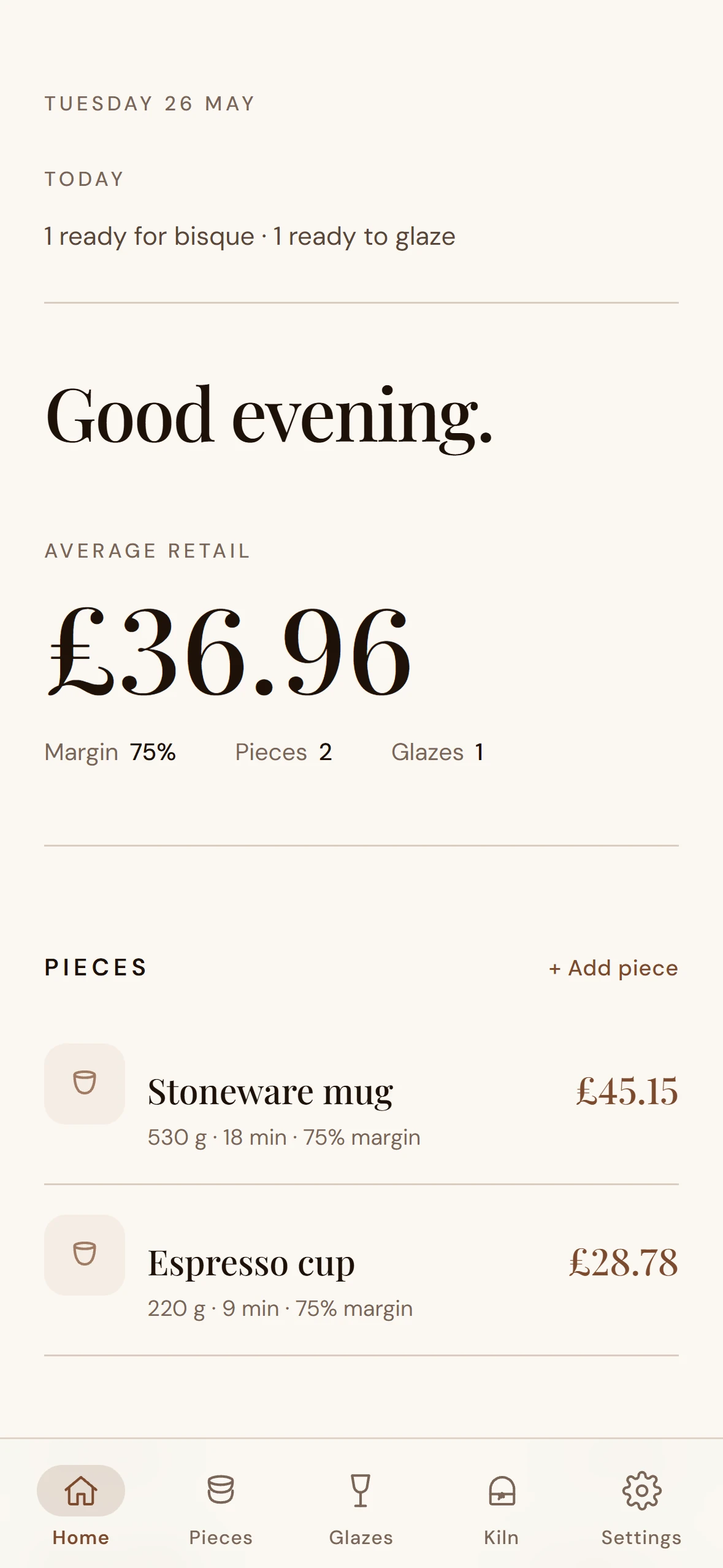
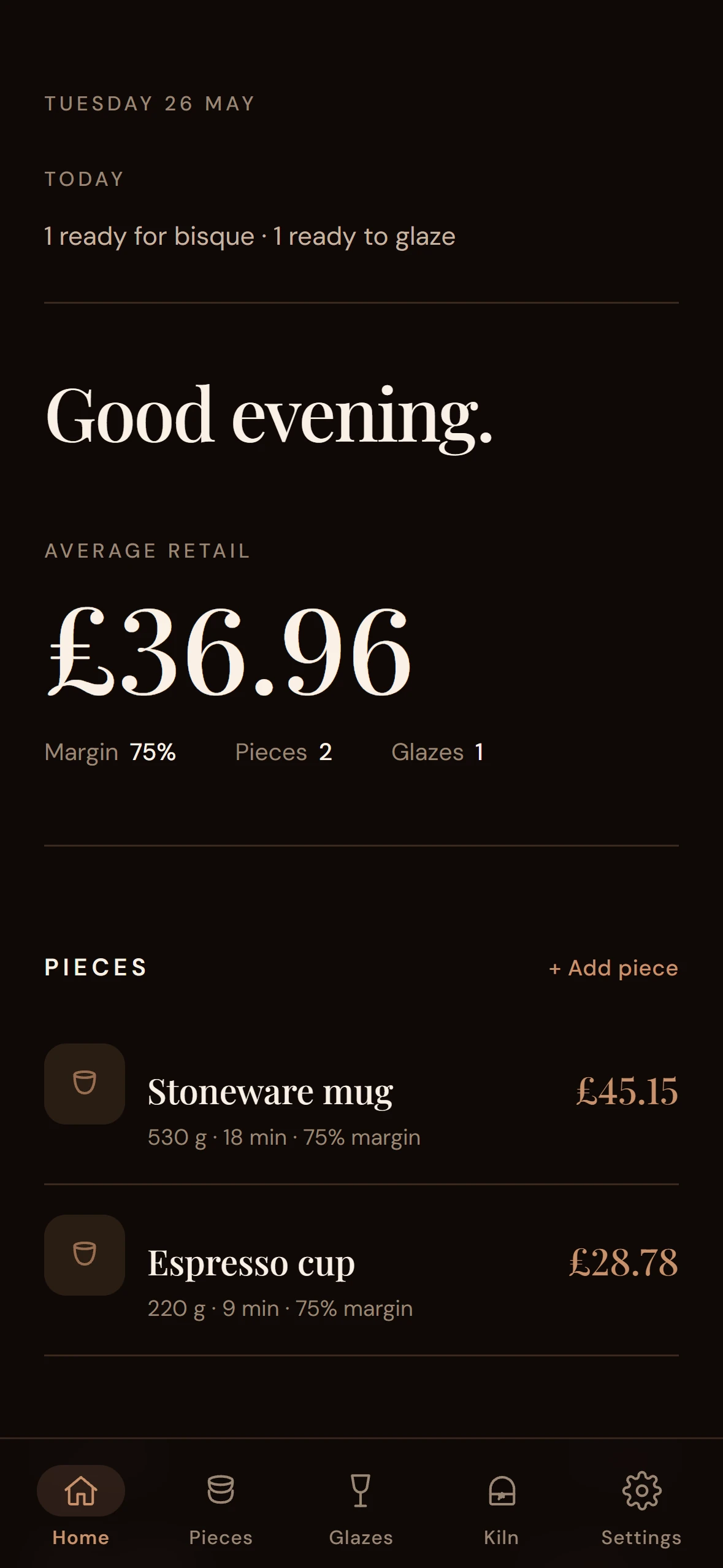
The first attempt was a SaaS-y dashboard — three stat tiles, four chrome bars, a FAB competing with action cards. I killed it. The shipped home reads like the cover of a journal: a date, a greeting, one large hero number, supporting metrics inline. Lists use hairline dividers, not nested cards. Hover states shift to italic — analog, considered.

03

Themed via CSS custom properties

Light, dark, and system, with WCAG 2.1 AA contrast verified in both: 16.6:1 on light, 16.5:1 on dark. The palette is warm — cream #FAF7F2, bark #1E1108, clay #7C4A2D — not the cold blue-greys of most productivity apps. A paper-grain SVG overlay at 3% opacity gives flat colour fields a sense of material.

04

Offline-first, sync optional

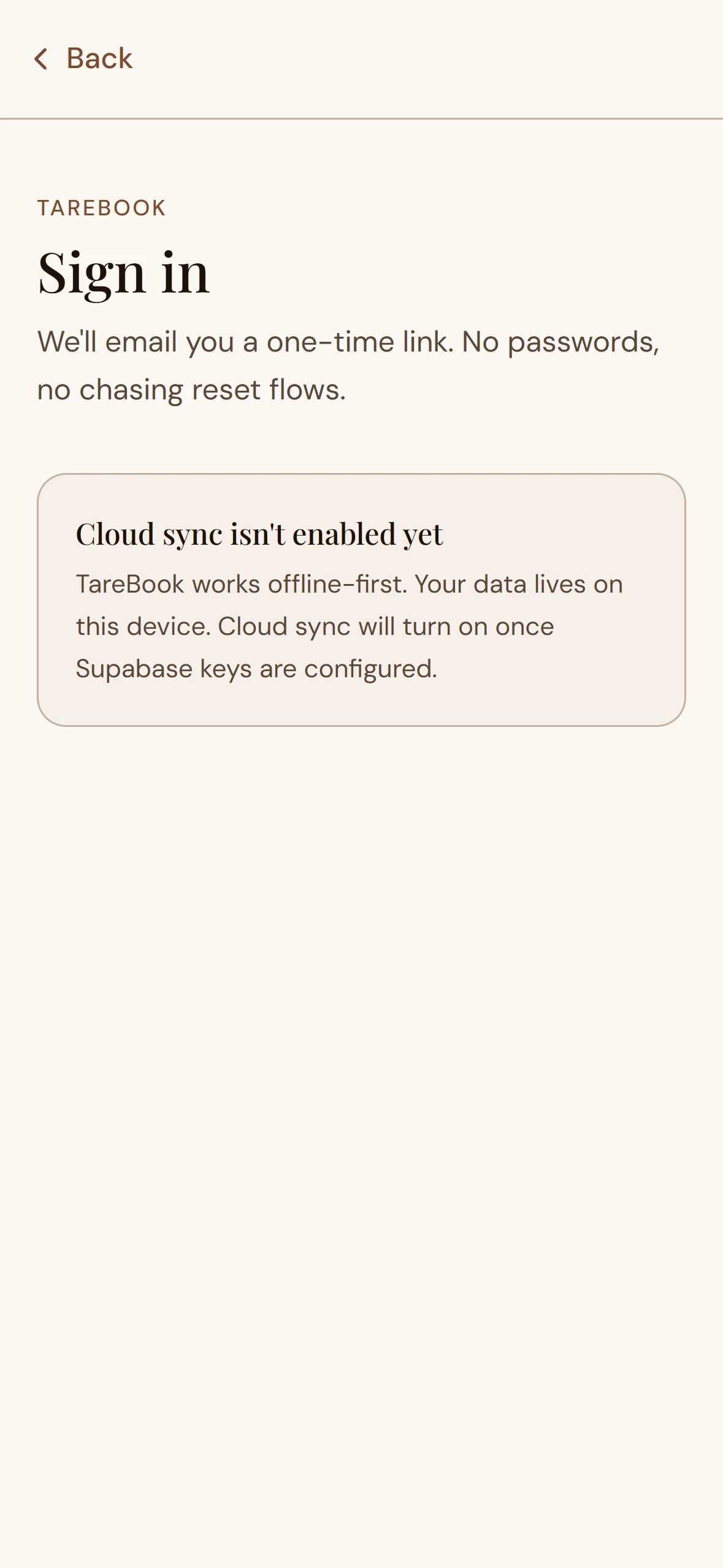
Dexie (IndexedDB wrapper) is the source of truth on every device. Supabase is opt-in cloud sync, gated behind passwordless magic-link auth. The sync logic is deliberately conservative: anonymous rows are claimed for the user on first sign-in; rows tagged with a different user_id are never modified or pushed. A potter without internet, an Apple account, or any trust in cloud services gets a fully working product. Sign-in is upsell, not gatekeeper.

05

Itemised pricing, not opaque magic

A real piece is rarely "one slug of clay + one make-time." A mug has body clay, handle clay, sometimes slip. A teapot has body, lid, spout, handle. Schema v4 lets one piece carry materials and time-entry arrays, each with an optional per-line override. The Pricing Card enumerates every contribution and subtotals where needed. Every price shows its working.

06

Native where it matters

Capacitor wraps the existing web build for the iOS App Store — no React Native rewrite. But the native touches that distinguish a real iOS app from "website in a wrapper" are wired: native share sheet, haptics on the Share button, status bar that switches with the in-app theme, and an Apple privacy manifest declaring exactly what's collected. Every plugin is dynamically imported and tree-shaken into a separate chunk that only loads on iOS.

Light and dark aren't variants. They're two first-class surfaces built from one CSS-variable system, each verified for WCAG AA contrast and tuned individually for the warm cream / clay / bark palette. No washed-out greys, no inverted-image cheat. The same editorial restraint reads on both.

Tarebook Home screen in light theme — date, greeting, hero retail number, supporting metrics inline Home · light
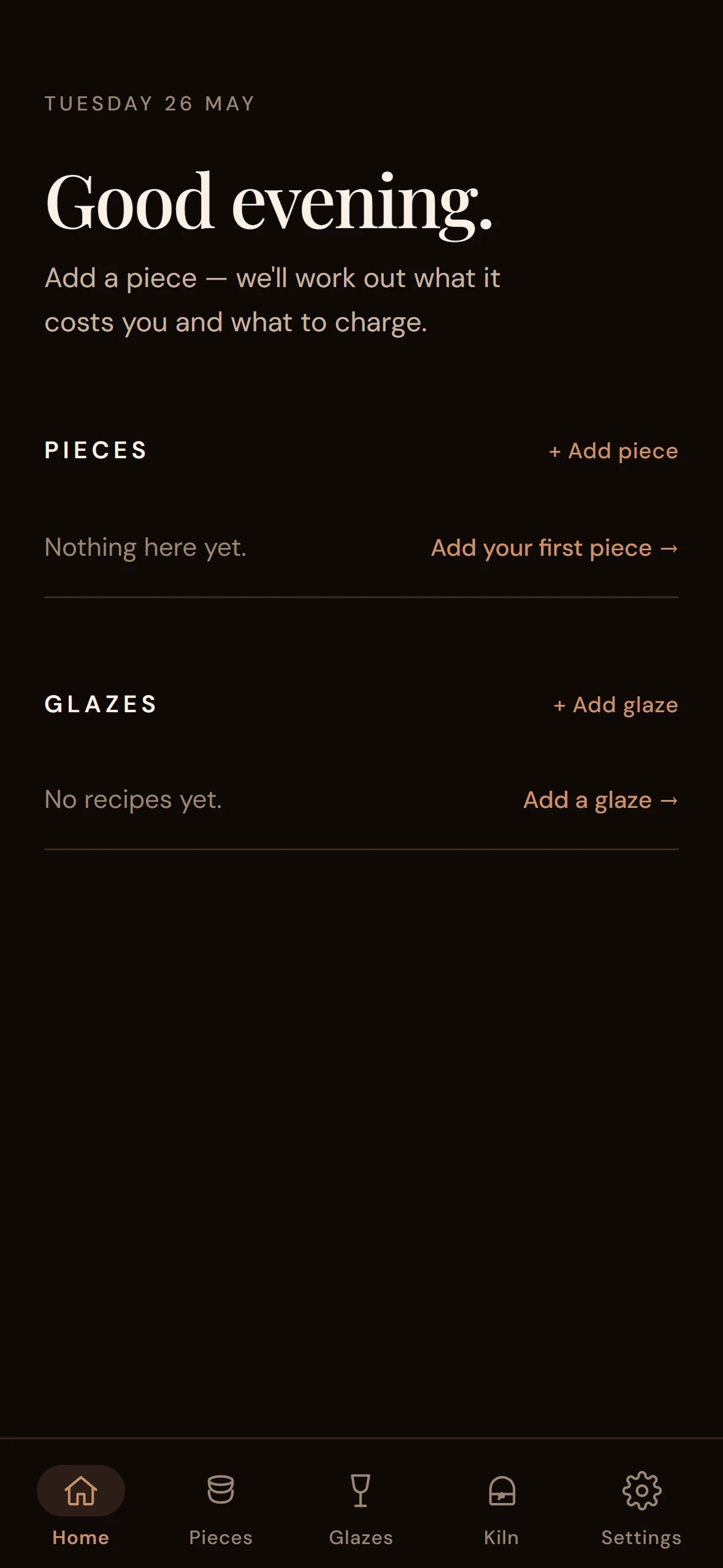
Tarebook Home screen in dark theme — same editorial layout in warm dark palette Home · dark
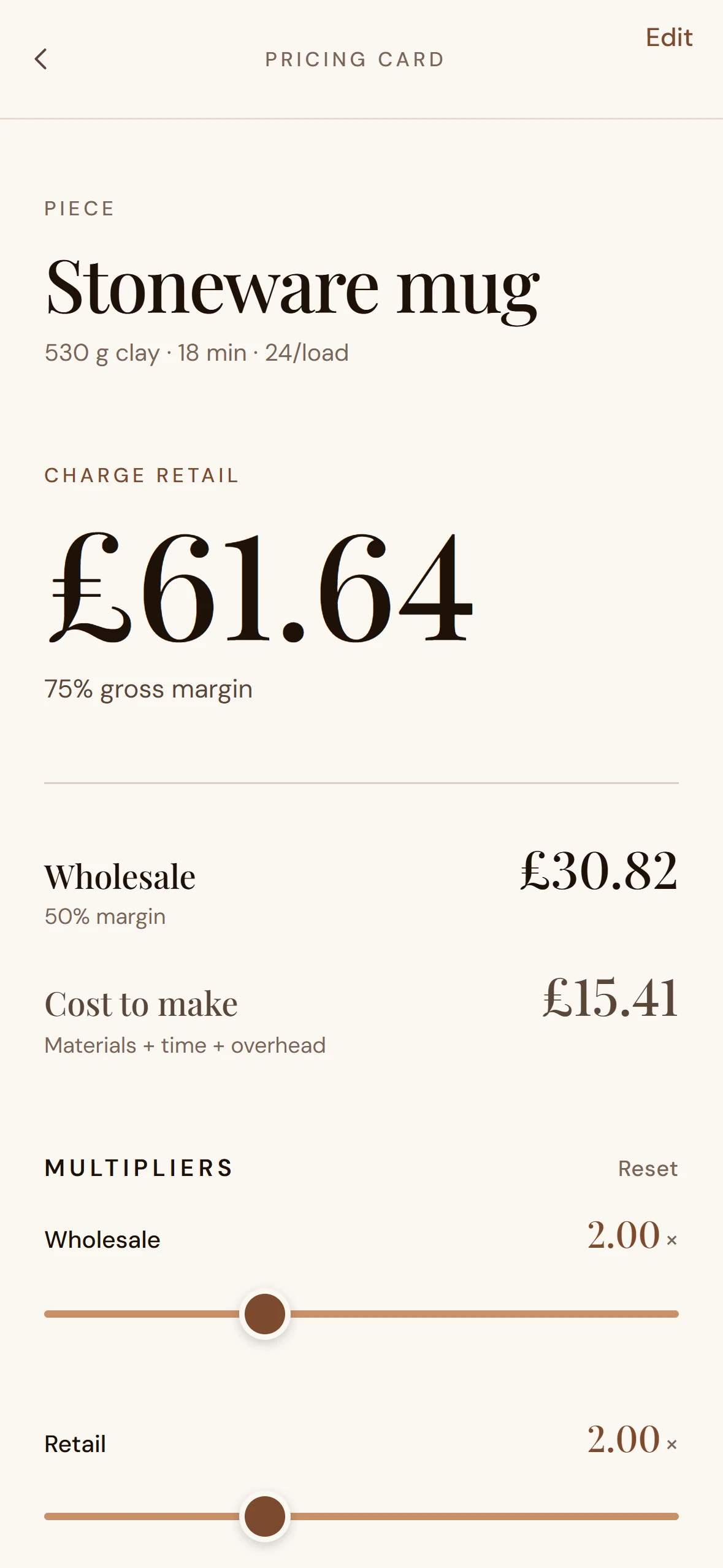
Tarebook Pricing Card in light theme — itemised breakdown expanded Pricing Card · light
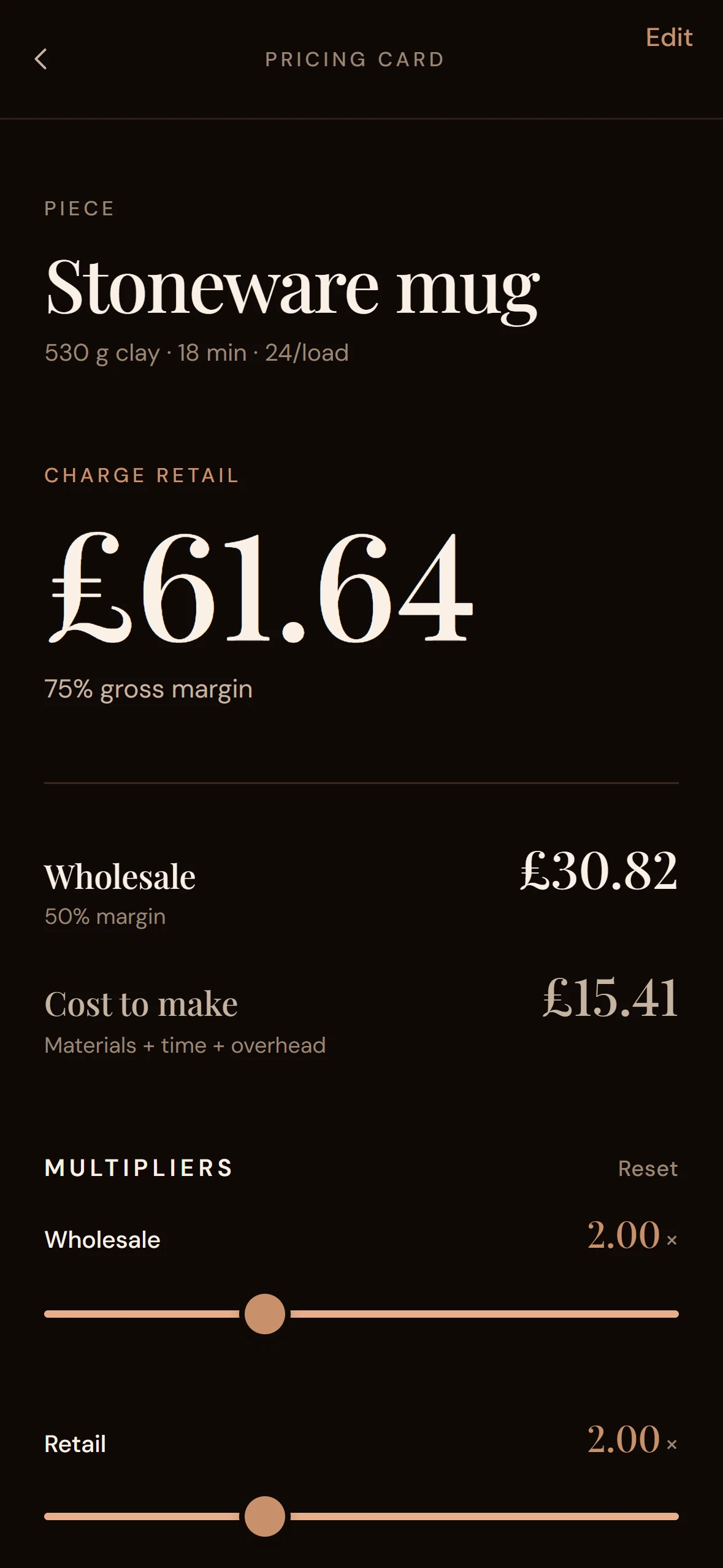
Tarebook Pricing Card in dark theme — same itemised breakdown, warm dark palette Pricing Card · dark
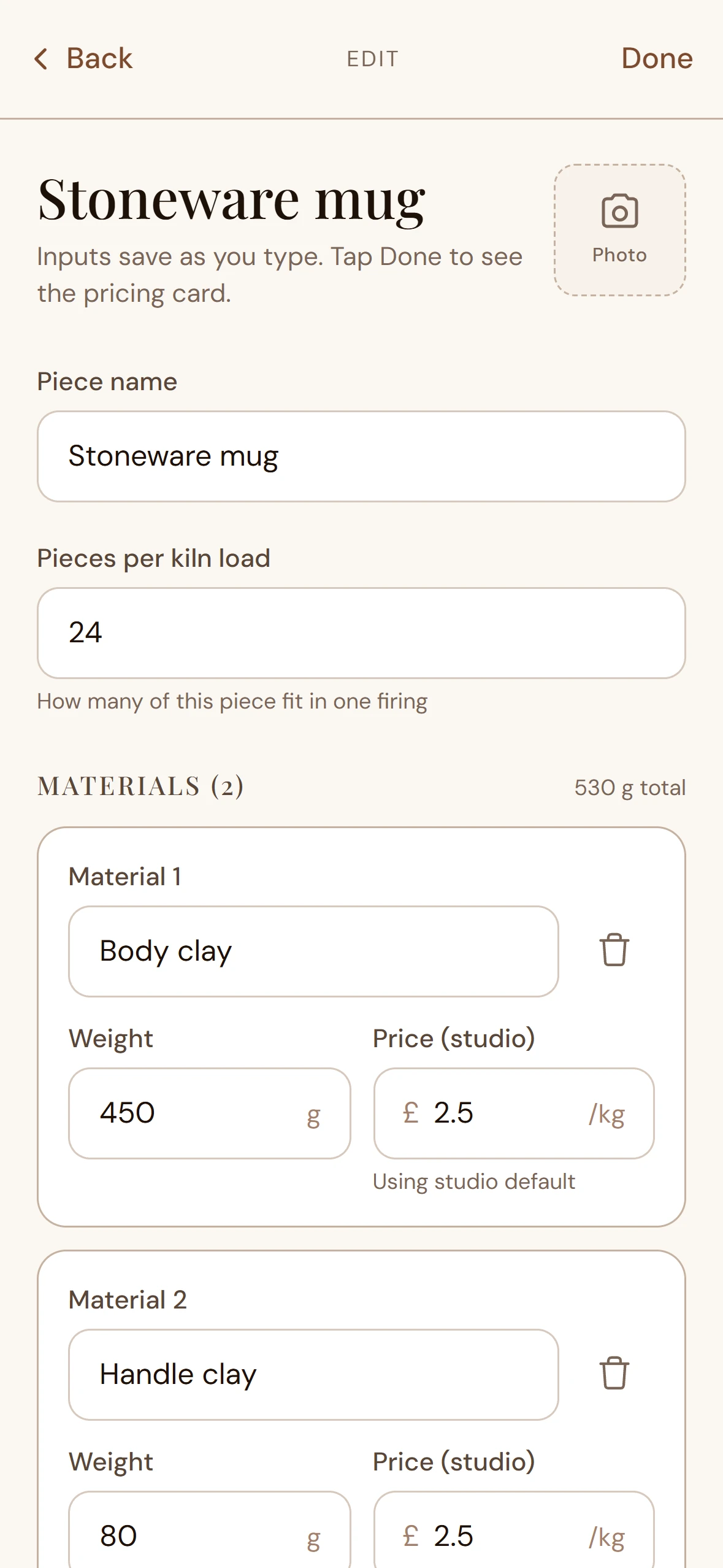
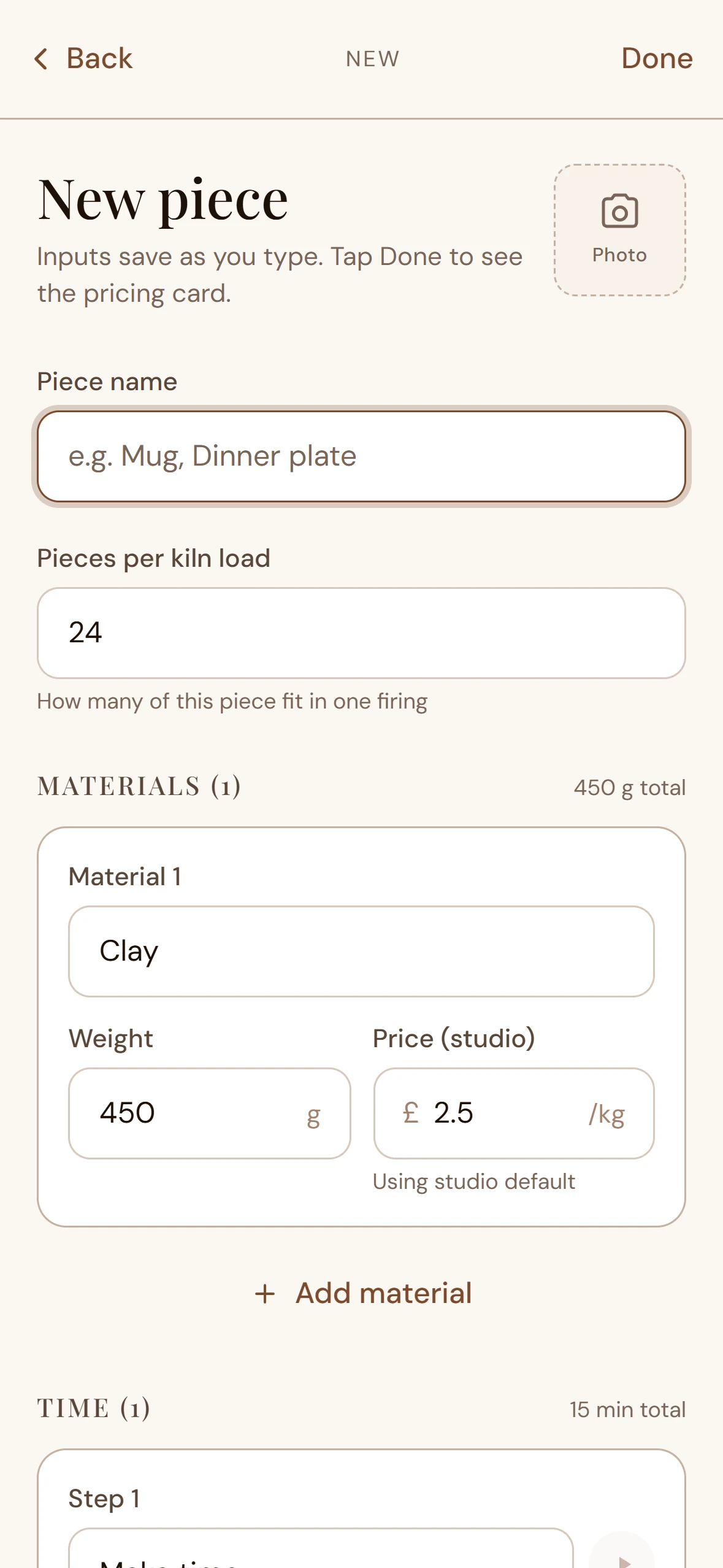
Tarebook Add Piece form — materials and time-entries arrays with per-line overrides Add Piece · materials + time entries, auto-saves on blur
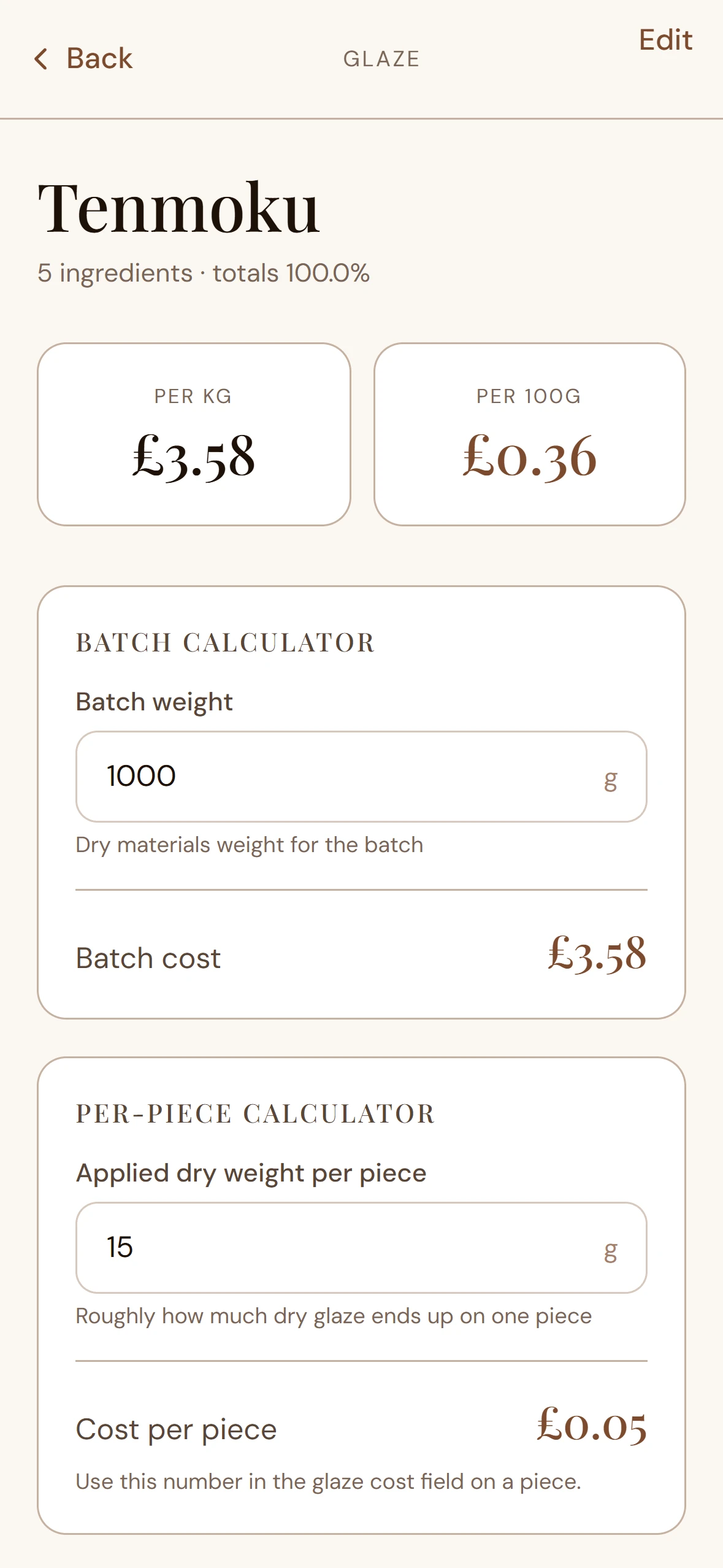
Tarebook Glaze Detail screen — batch and per-piece cost calculated from applied dry weight Glaze Detail · per kg, per 100g, batch cost, per-piece cost

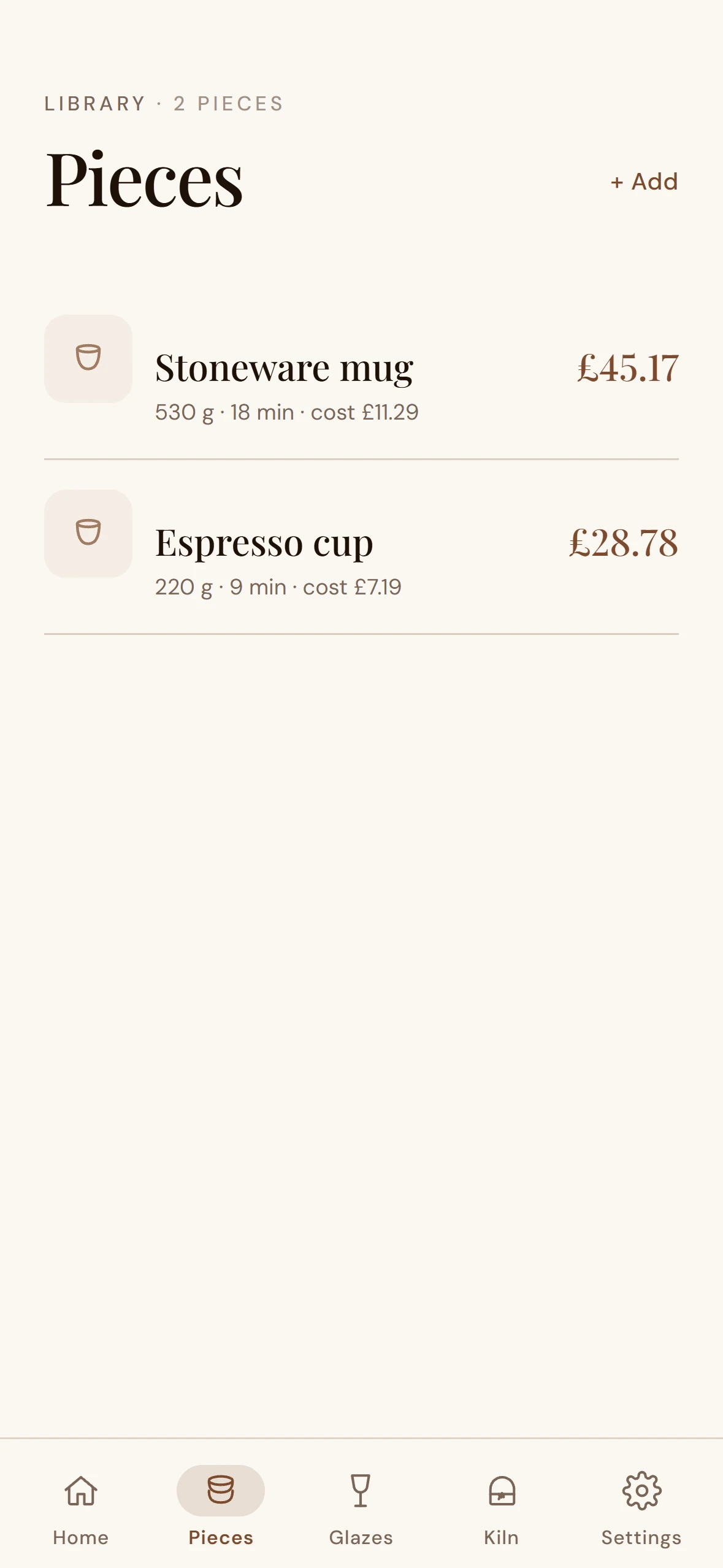
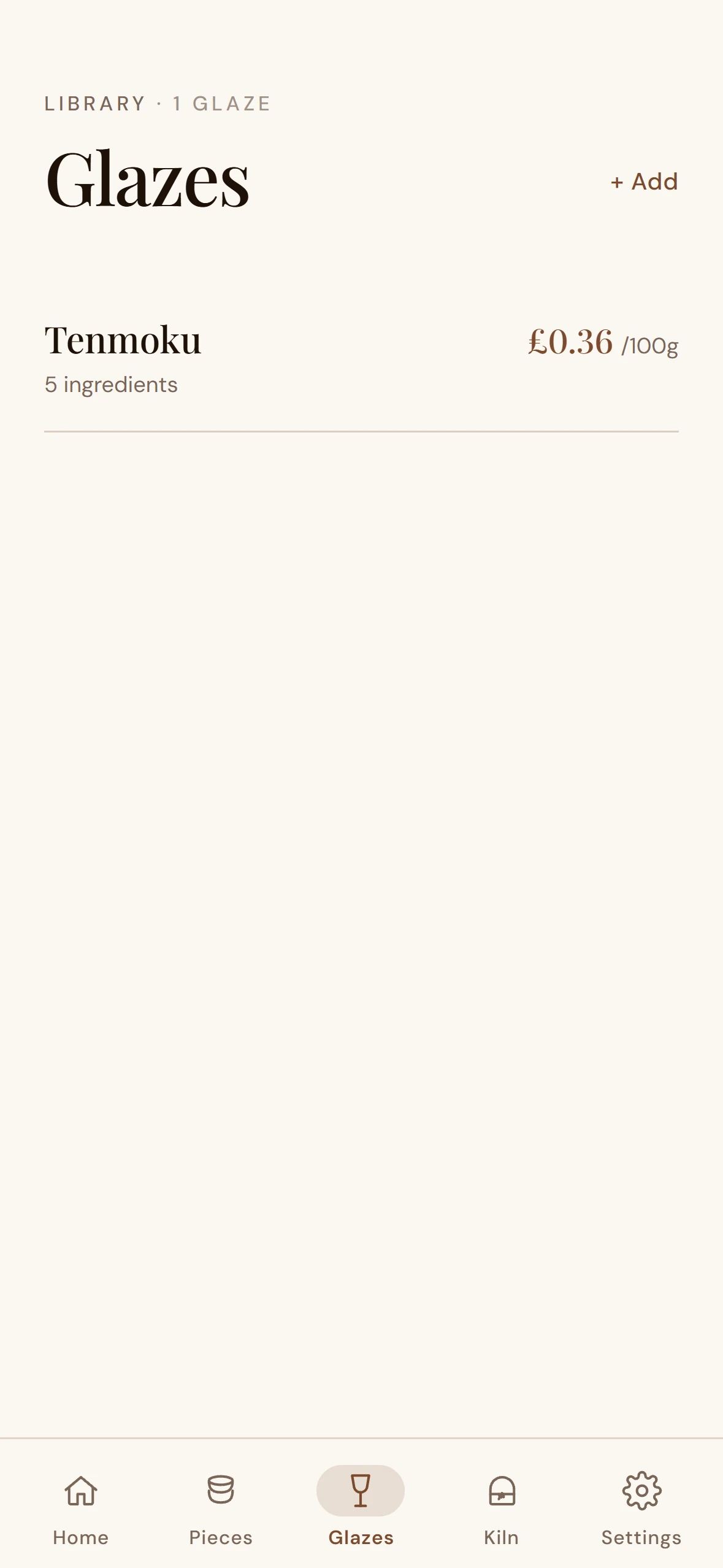
Library views are the most-trafficked surface in a tool like this. The brief was to make them feel like a journal index, not a database table. Each saved piece reads as a card with three live prices alongside; each saved glaze with its per-piece cost. Long lists scroll cleanly with hairline dividers and the existing editorial rhythm.

Tarebook Pieces library — list of saved pieces with live-recalculated retail prices Pieces library · live-recalculated retail prices, no save button
Tarebook Glazes library — saved glaze recipes with per-piece cost surfaced Glazes library · per-piece cost surfaced on every card

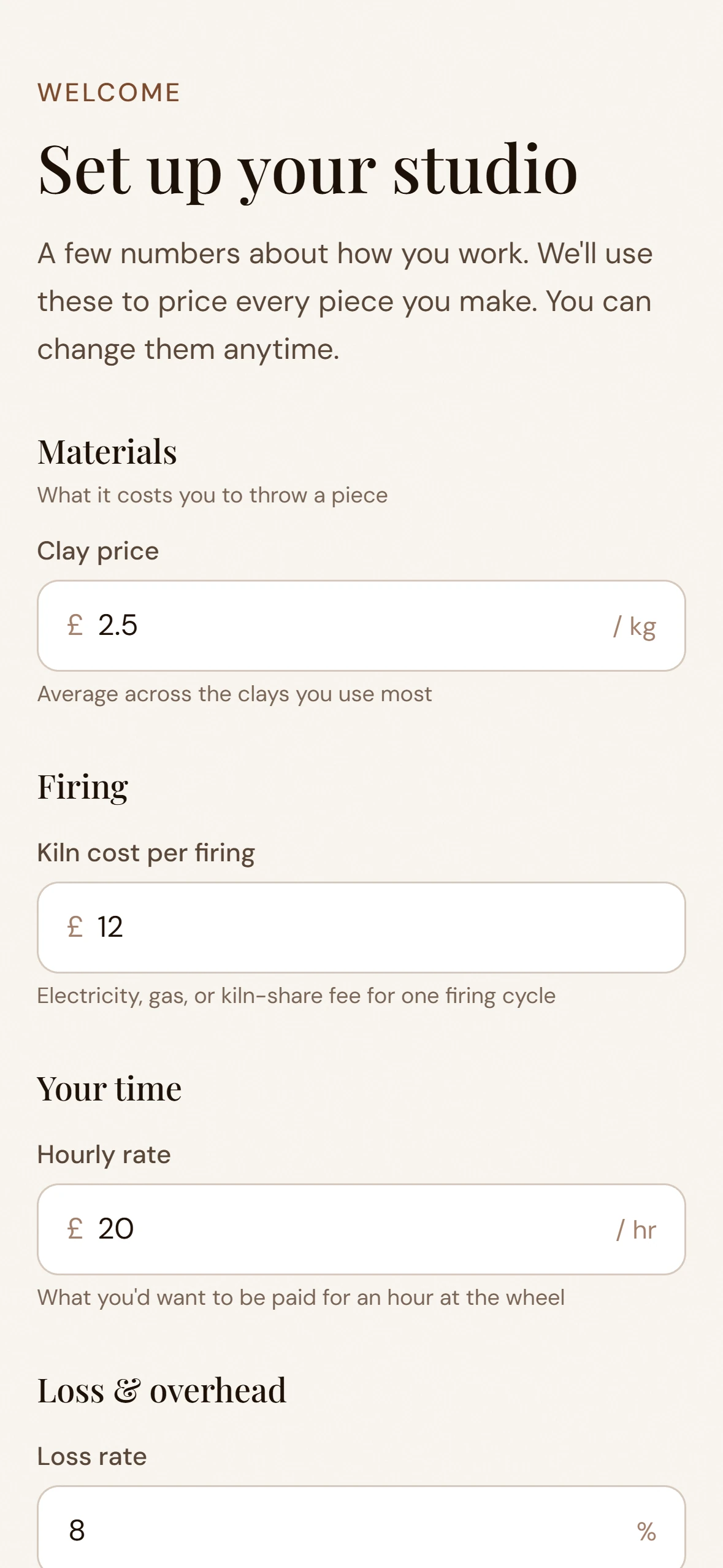
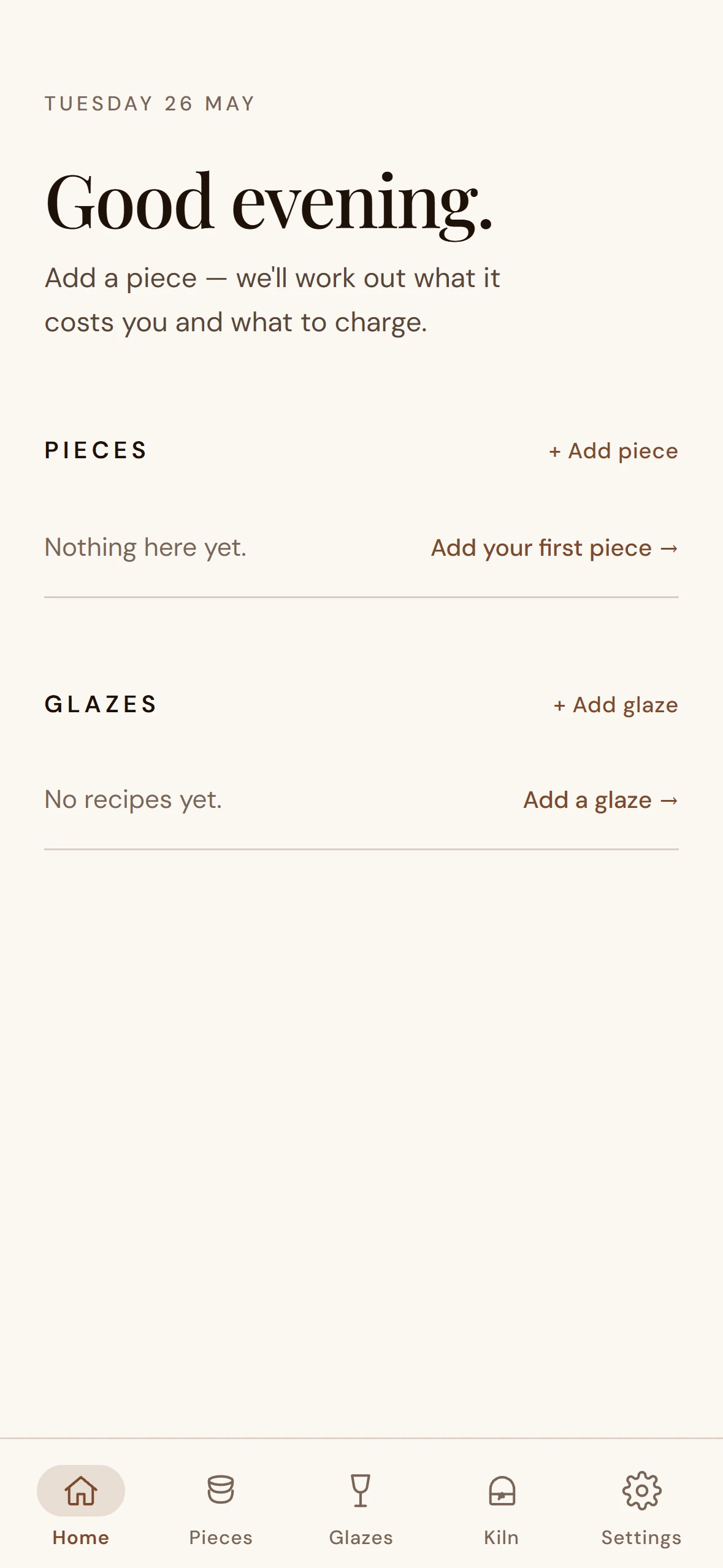
Most apps treat empty states as a bug to fix. Tarebook treats them as the start of a conversation. The onboarding wizard asks for studio numbers in plain English — clay price per kilo, hourly rate, kiln cost per firing — with sensible defaults so a new potter can finish in under a minute. Home and Add-Piece screens, before any data, explain what's missing and what to do next.

Three principles: no dead ends, no jargon, no judgement if a value is left at the default.

Tarebook Setup wizard — onboarding step collecting studio numbers in plain English Setup wizard · under a minute
Tarebook Home empty state in light theme — no pieces yet, with friendly next-step prompt Home · empty, light
Tarebook Home empty state in dark theme — same friendly conversation, dark palette Home · empty, dark
Tarebook Add Piece empty state — fresh form with helper text and field defaults Add Piece · first-run

Week 2. The pricing maths only works if loss rate is honest — not assumed. Most potters guess "10%" without ever counting what actually came out of the last kiln. So the original schema, which carried a single global loss-rate setting, wasn't going to survive contact with reality.

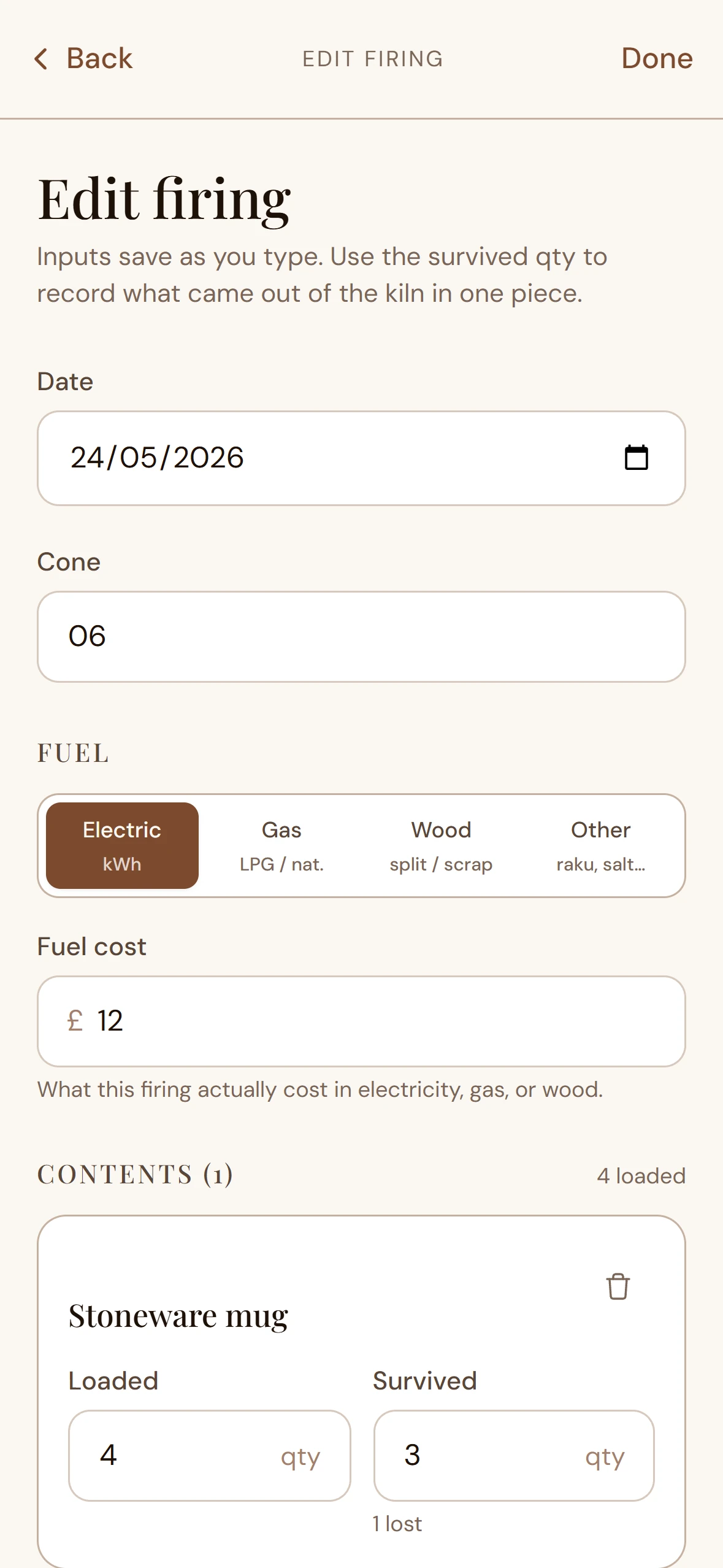
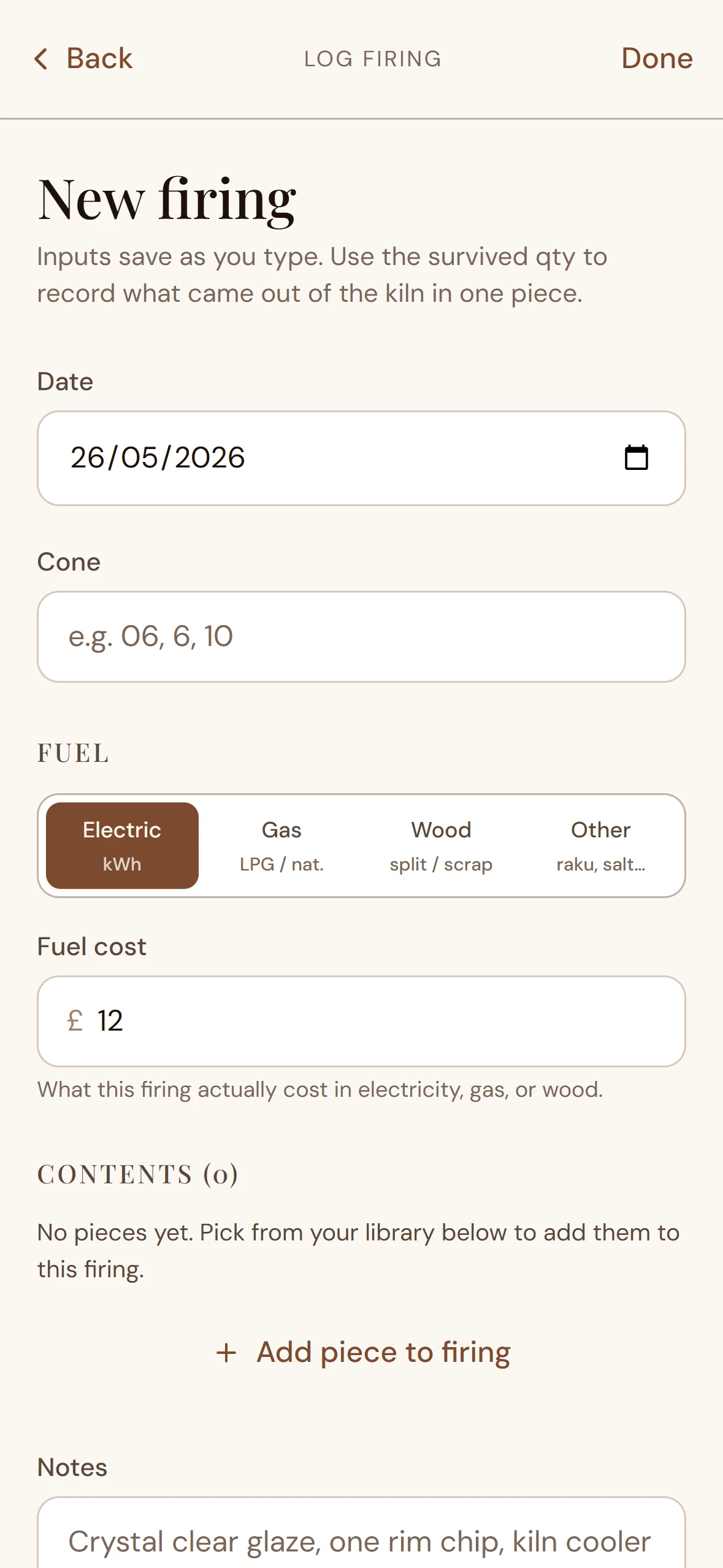
A whole new flow was added: kiln firings as first-class objects. Each firing logs pieces in / pieces out / glaze cost / firing cost. The loss rate becomes an emergent measurement from the user's last N firings, not a number they invented once at setup and forgot. Three screens, Dexie schema bumped to v4, auto-migration from v3 written and tested in an afternoon.

The kind of decision that costs an extra day in week 2 but means the maths is defensible by week 3.
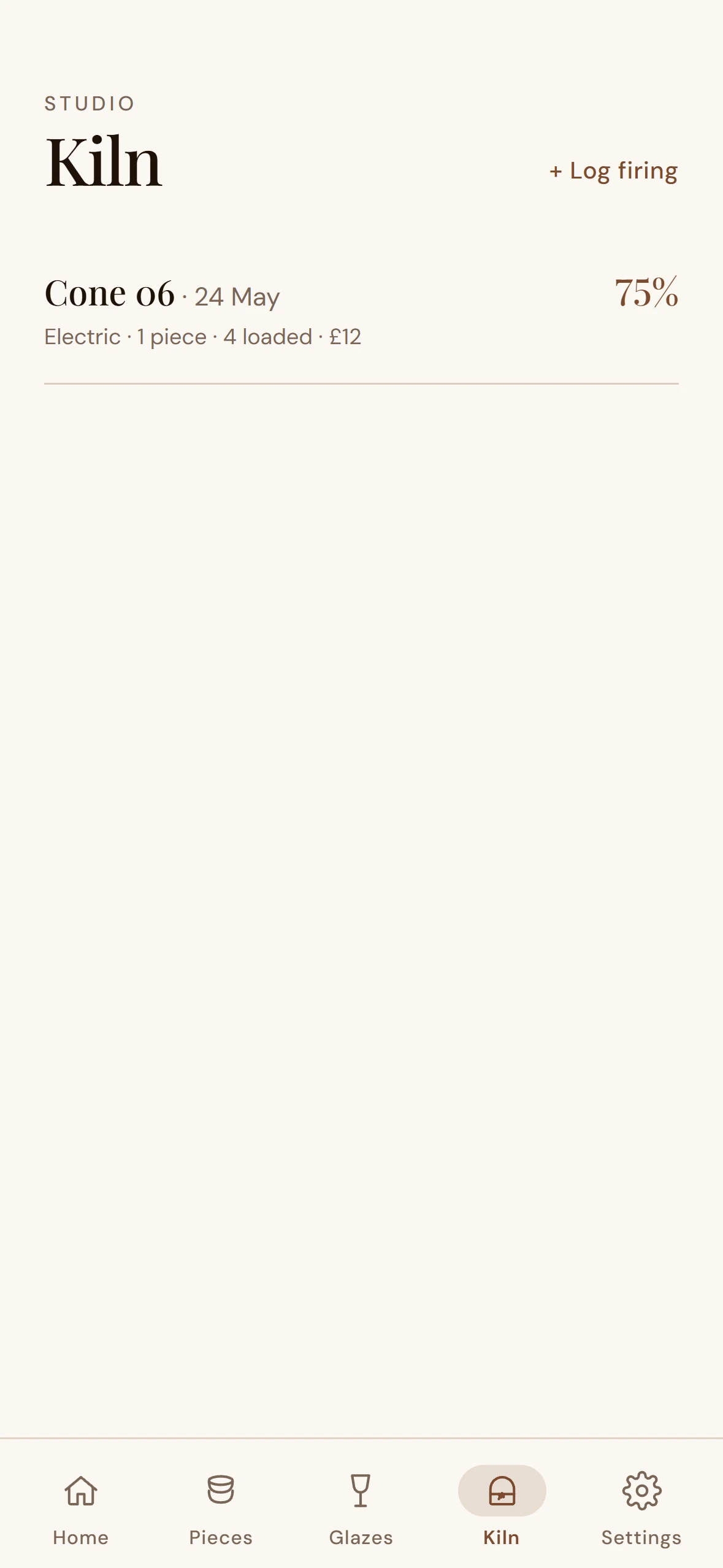
Tarebook Kiln list — saved firing logs with pieces in, pieces out, calculated loss rate Kiln list · firing log as journal
Tarebook New kiln firing form — pieces in, pieces out, glaze cost, firing cost New firing · pieces in / pieces out / cost
Tarebook Firing detail — breakdown of a completed firing with measured loss rate Firing detail · measured loss replaces guessed loss
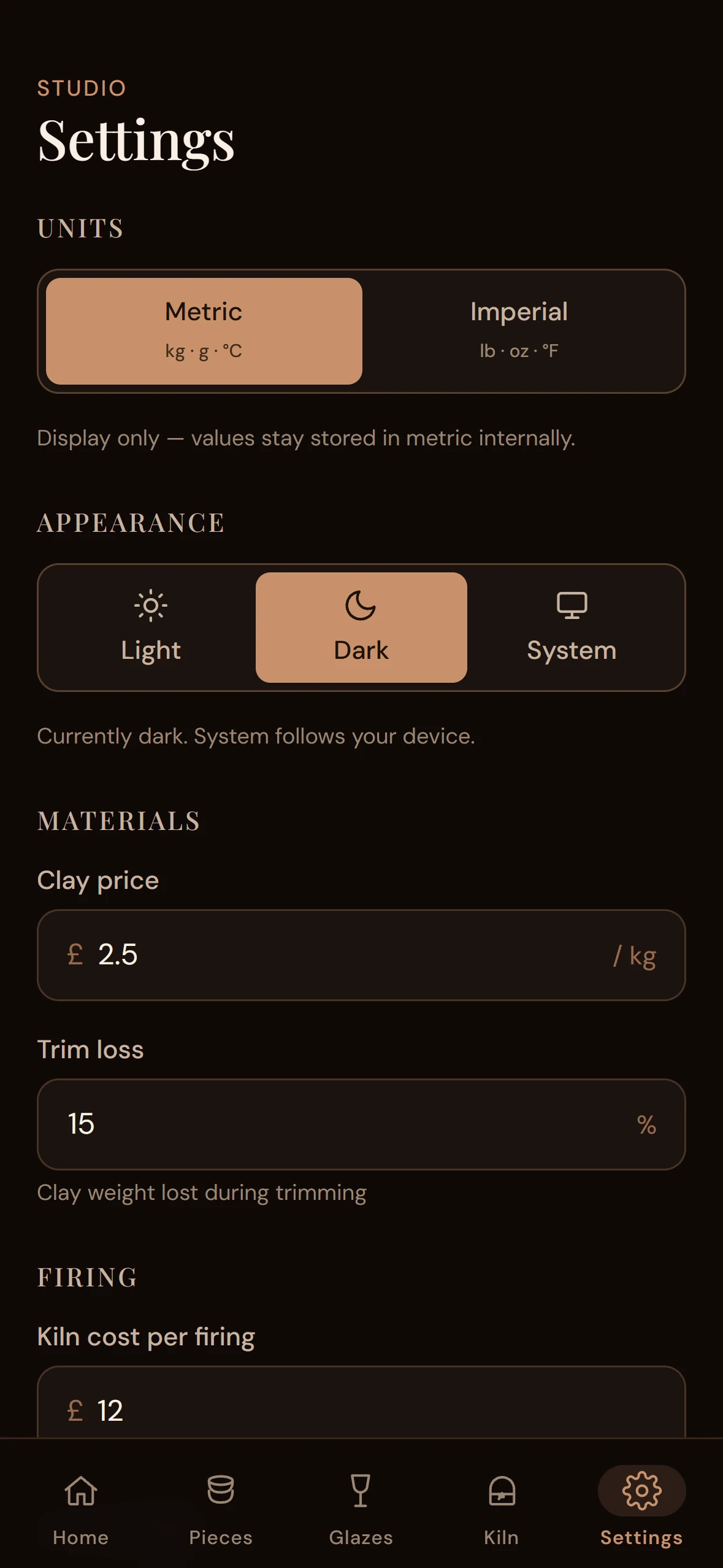
Tarebook Settings screen in dark mode — theme toggle, metric/imperial segmented control Settings · theme toggle, units swap converts without re-entry
Tarebook Sign In screen — magic-link passwordless auth, friendly cloud-sync messaging Sign in · sync is opt-in, not a gatekeeper

30

TypeScript files, one job each

173KB

Main bundle gzipped

v4

Dexie schema with auto-migration

6

Screens, end-to-end, no dead ends

Studio Setup — onboarding wizard collecting clay price/kg, hourly rate, loss rate, trim loss, overhead/month, kiln cost/firing, unit preference. New users finish in under a minute.

Piece library — saved pieces with live-recalculated retail prices. Change a studio setting and every card updates instantly. No "save" button, no stale numbers.

Add / Edit Piece — name, materials and time buckets with optional per-line overrides, pieces per kiln load, glaze picker linking to saved recipes. Inline live preview of the three prices.

Pricing Card — the hero. Retail leads at display-numeric 80px; wholesale and cost sit in a quieter section below. Multiplier sliders default to 2× × 2×, customise live. Collapsible itemised breakdown. Share via native iOS sheet.

Glaze calculator — recipe builder with percentage validation (amber if total ≠ 100%, emerald if it is), plus a sub-screen with batch and per-piece cost calculations from applied dry weight.

Settings — full edit of studio numbers, metric/imperial toggle that converts every displayed weight without re-entry, theme toggle, sync controls when signed in, "wipe local data" for shared devices.

Publishing this case study during the App Store review window. The page will be updated as milestones land.

  • ✓ Shipped Web PWA live at tarebook1.netlify.app
  • ● In review iOS App Store submission
  • ○ Validating 20+ "yes" responses on Instagram before the Pro paywall ships

Goal numbers. A reachable audience over 12 months, with consistent Instagram content and word of mouth, is 500–2000 free users. Conversion to Pro at 5–10% gives 25–200 paying users. Pro is £3.99/month or £200 lifetime; the lifetime cap may be limited to the first 100 users as a Founders' tier.

Not life-changing money. But recurring revenue from a real audience that pays because the tool genuinely saves them time and makes them more money. The kind of validation that's hard to fake.

Next Project

Sim Glasgow